Features
Features are the building blocks you embed on your website. Sitebase provides them ready-made — you don't build or configure forms from scratch.
The catalog
- Waiting list — let people join a launch or product list with their email.
- Newsletter signup — collect subscribers for future email updates, with a consent line.
- Contact form — collect private messages from visitors.
- Testimonials — collect quotes from visitors and display the ones you approve.
Your website's features
Open a website from the dashboard and the Dashboard tab shows a stat panel for each feature next to the analytics. Each panel shows live counts — people collected, new signups in the last 24 hours, pending testimonials — and clicking it opens that feature's page.
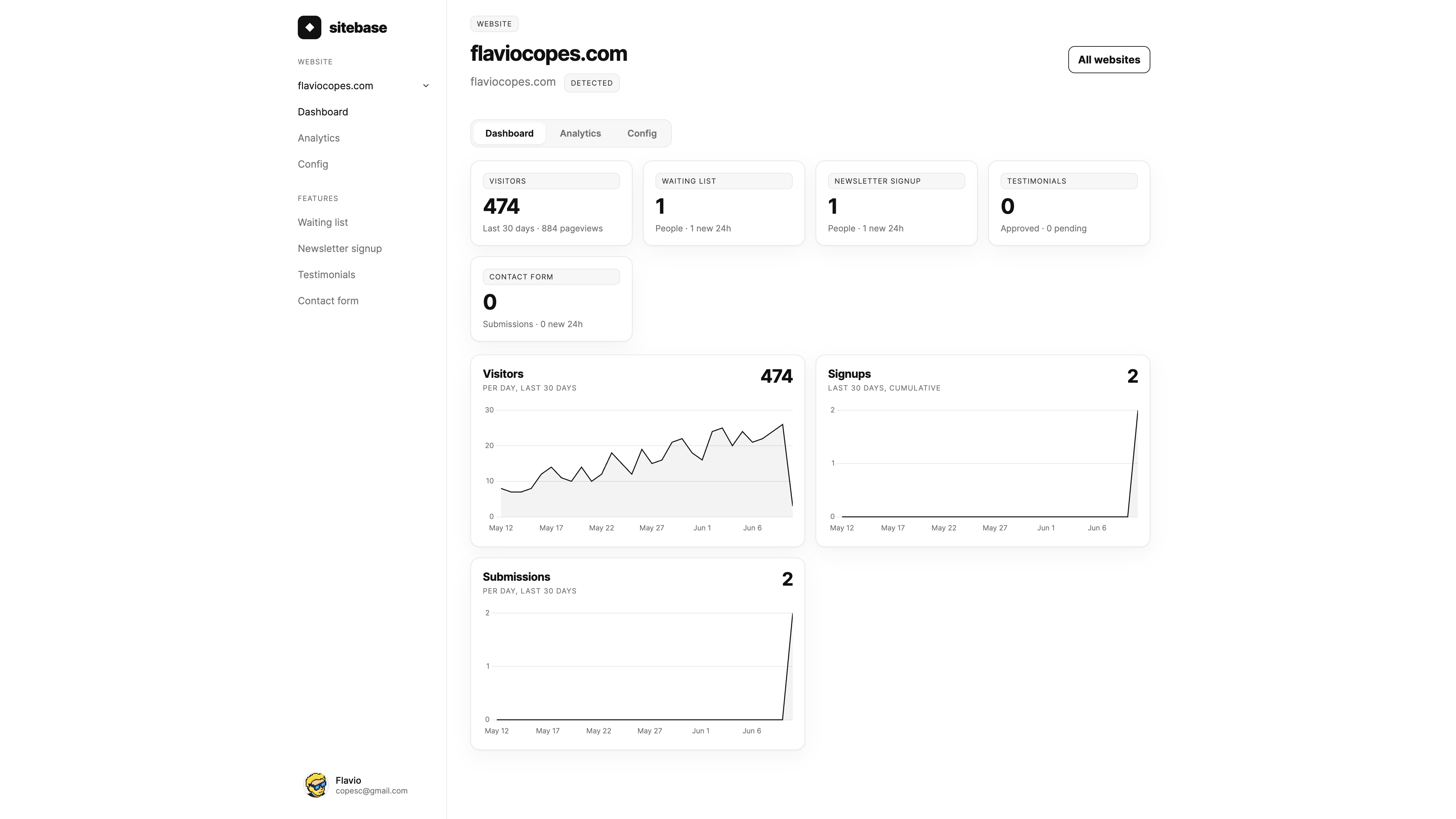
The sidebar lists the same features. Click one to open its detail page, where you'll find the embed snippet and the collected data.
Newsletter settings
Newsletter signup features have a Config tab with settings that change how the embedded form behaves:
- Double opt-in — off by default. When enabled, new subscribers receive a confirmation email and only join your list after clicking the link in it. Until then they show up as pending in the Data tab.
- Turnstile spam protection — off by default. When enabled, the embedded form shows a Cloudflare Turnstile check and every submission is verified server-side. The Config tab comes prefilled with Cloudflare's public test keys, so the flow works immediately — but the test check always passes and blocks nothing. For real protection, create a free Turnstile widget for your domain in the Cloudflare dashboard and paste your own site key and secret key into the Config tab. Keys are stored per site — Cloudflare ties a Turnstile widget to specific hostnames — and shared by every feature on that site.
How testimonials work
Testimonials are the only feature with a moderation step, and the only feature with two embed snippets:
- Show testimonials — displays the wall of approved testimonials. Put this on your homepage, landing page, or anywhere social proof helps.
- Collect testimonials — a form visitors use to send you a testimonial. Put this on a dedicated "leave a testimonial" page, or link to it from a thank-you email.
Submissions arrive as pending and stay private until you approve them. When a new testimonial comes in you get a notification on your dashboard (and an email, unless you turned those off). Open the feature's Data tab to read it and click Approve or Reject. Approving publishes it to the embedded wall right away; rejecting keeps it hidden. You can change your mind later — both buttons stay available.
Notifications
Every submission — a testimonial, a newsletter subscriber, a waiting list signup, a contact message — creates a notification on your dashboard home page and sends an email to you and your collaborators.
You decide which emails you get, at two levels:
- Global defaults — your profile has an email notification toggle per activity type. These apply to all your websites.
- Per-website overrides — each website page has a Notifications tab where any activity type can be set to On or Off just for that site, overriding your global default. Maybe you don't care about newsletter signups on one site but want every single one from another.
Preferences only affect emails: dashboard notifications always show up, so nothing gets lost. Each collaborator has their own preferences.
Next: Embedding