Embedding
One script tag puts a feature on your site. That's the whole integration.
The embed snippet
Open a feature in the dashboard. The Setup tab shows a live preview of the feature, and the Copy snippet button puts the exact tag for that feature on your clipboard (and reveals it, if you want to look at it):
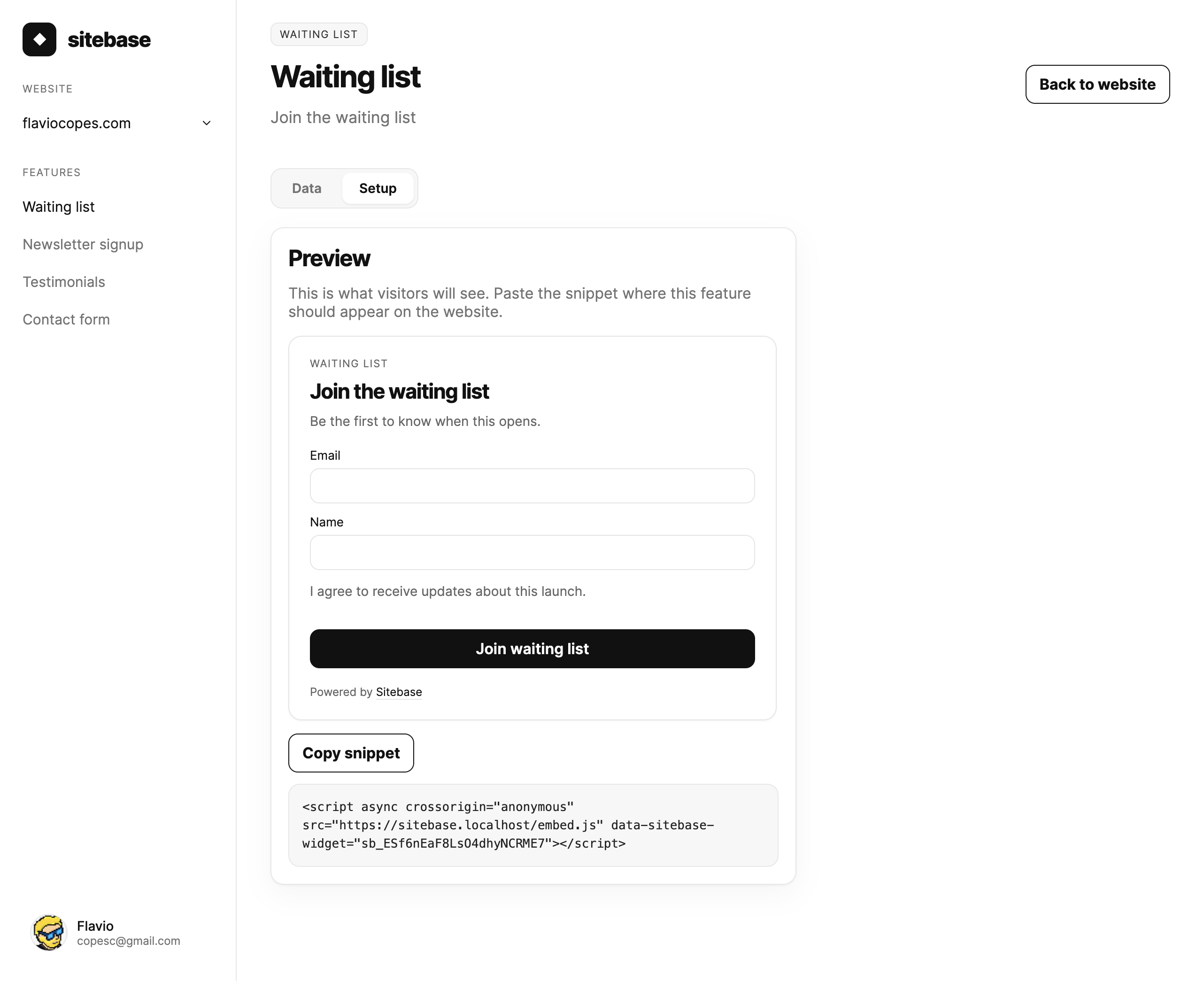
The snippet looks like this:
<script async crossorigin="anonymous" src="https://sitebase.dev/embed.js" data-sitebase-widget="sb_ESf6nEaF8LsO4dhyNCRME7"></script>
Paste it into your site's HTML where the feature should appear. It works on any site — plain HTML, WordPress, Astro, Next.js, anything that renders HTML.
Notice the data-sitebase-widget attribute: that key identifies your feature. Each feature has its own
snippet.
Testimonials: two snippets
Testimonials come with two snippets instead of one, so you can show testimonials in one place and collect them in
another. They share the feature key and differ by a data-sitebase-variant attribute:
<!-- Show approved testimonials -->
<script async crossorigin="anonymous" src="https://sitebase.dev/embed.js" data-sitebase-widget="sb_ESf6nEaF8LsO4dhyNCRME7" data-sitebase-variant="wall"></script>

<!-- Collect new testimonials -->
<script async crossorigin="anonymous" src="https://sitebase.dev/embed.js" data-sitebase-widget="sb_ESf6nEaF8LsO4dhyNCRME7" data-sitebase-variant="form"></script>
Both are ready to copy from the feature's Setup tab. A snippet without the variant attribute renders the wall and the form together.
How it works
The script is a tiny loader. It fetches the feature's HTML from Sitebase, mounts it in place of the script tag, and wires up the form so submissions go straight to Sitebase. Your page stays fast: the loader is cached and the feature HTML is served from the edge.
The same script also reports an anonymous pageview for the page it's on, so embedded features feed the website's analytics automatically. Pages without an embedded feature can be counted too, with the site-level snippet from the website's Analytics tab.
Branding
Embedded features show a small "Powered by Sitebase" link at the bottom. It's on by default on every plan. On Plus you can turn it off per website: open the website's Config tab and untick Show "Powered by Sitebase" on embedded features.
Spam protection
By default you don't need a captcha. Embedded forms include an invisible honeypot field, and submissions are rate limited per visitor. Suspicious entries are dropped silently.
If you want stronger protection, newsletter signups can also require a Cloudflare Turnstile check. Enable it from the feature's Config tab — it works immediately with Cloudflare's test keys, and you can swap in your own keys for real protection. See Features for the details.
Next: Appearance