Appearance
Embedded features start with a clean black-and-white look. With one click, Sitebase can restyle them to match your website.
Analyze your website
Open your website in the dashboard and switch to the Config tab — the Appearance panel sits below the notification and branding settings. Click Analyze website.
Sitebase fetches your site, reads its HTML and CSS, and extracts a theme: your fonts, colors, button style, and corner radius. The analysis takes around half a minute.
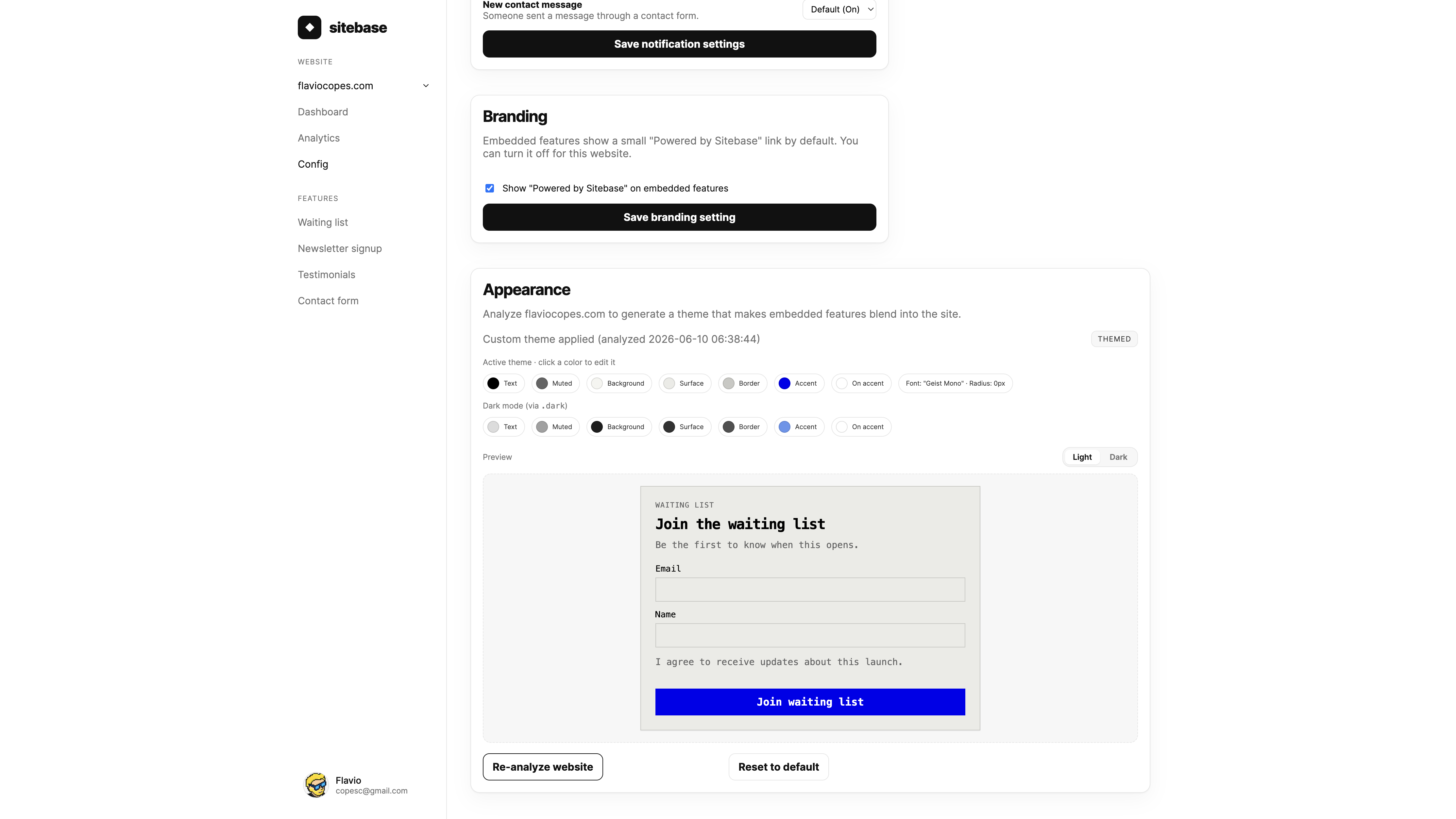
Preview, then apply
Nothing changes on your site until you say so. The analysis produces a draft: you see the extracted colors as swatches and a live preview of a feature wearing the new theme.
Happy with it? Click Apply theme. Every feature on that website is republished with the new look, and visitors see it immediately. The theme applies to that website only — your other sites keep their own style.
Tweak individual colors
The analysis is a starting point, not a verdict. Click any color swatch to edit it: pick a new color with the color picker or type a hex value, then save. Edits go into the draft, so the preview updates immediately and nothing changes on your site until you click Apply theme.
Light and dark colors are edited separately — each row of swatches has its own values.
Dark mode
If your website ships dark-mode styles, the analysis picks those up too: alongside the main theme, Sitebase extracts a dark palette and bakes it into your embedded features.
The features follow your site's own switching mechanism. If your site reacts to the visitor's system preference,
the features do the same. If it toggles dark mode with a class or attribute (like .dark on the page),
the features switch together with the rest of the page. Sites without dark-mode styles are unaffected.
When a dark palette is detected, the Appearance panel shows a second set of swatches and a dark-mode preview so you can check both looks before applying.
Re-analyze or reset
Redesigned your site? Click Re-analyze website to extract a fresh theme. You preview it the same way before applying.
Reset to default removes the theme and returns the features to the standard Sitebase style.
Next: Submissions and data